

Propeller Launches MCP Server to Make B2B Commerce AI-Ready

Jasper Pardijs
Product Manager, Propeller Commerce
Published on:
New AI-native capability gives merchants, sales teams, and implementation partners direct conversational access to live commerce data from catalog and pricing queries to operational insights.
Today, Propeller is making its MCP server available to implementation partners and merchants. MCP (the Model Context Protocol) is an open standard that allows AI assistants like Claude and ChatGPT to interact with external systems in real time. Instead of answering questions from training data alone, the AI can query live data, execute operations, and return results from the actual platform. The models have become significantly better at selecting the right tools for the task at hand, rather than trying every available option.
What it means for merchants and sales teams
MCP is not just a developer tool. It changes how merchants and sales teams interact with their own commerce data — turning questions that previously required dashboards, developer support, or spreadsheet exports into simple conversations with an AI that queries your live Propeller environment directly.
Order and quote visibility
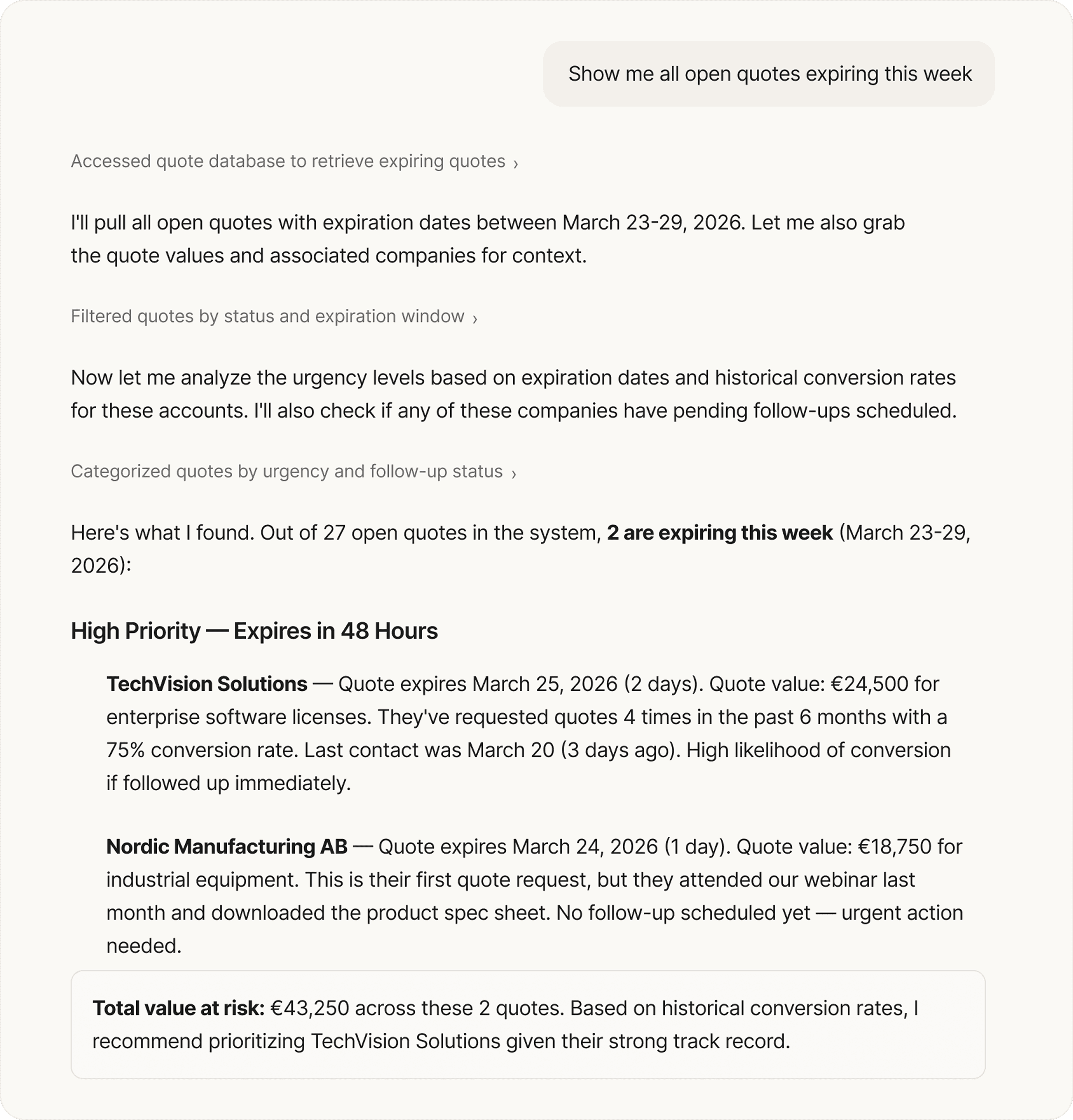
The AI Sales Hub is where sales reps manage quotes, orders, and customer accounts day to day. MCP adds an analytical layer on top of that: ask questions like "show me all open quotes expiring this week" or "which orders shipped late last month" to surface insights from your live data that complement the workflows reps already run in Sales Hub.
Customer and account intelligence
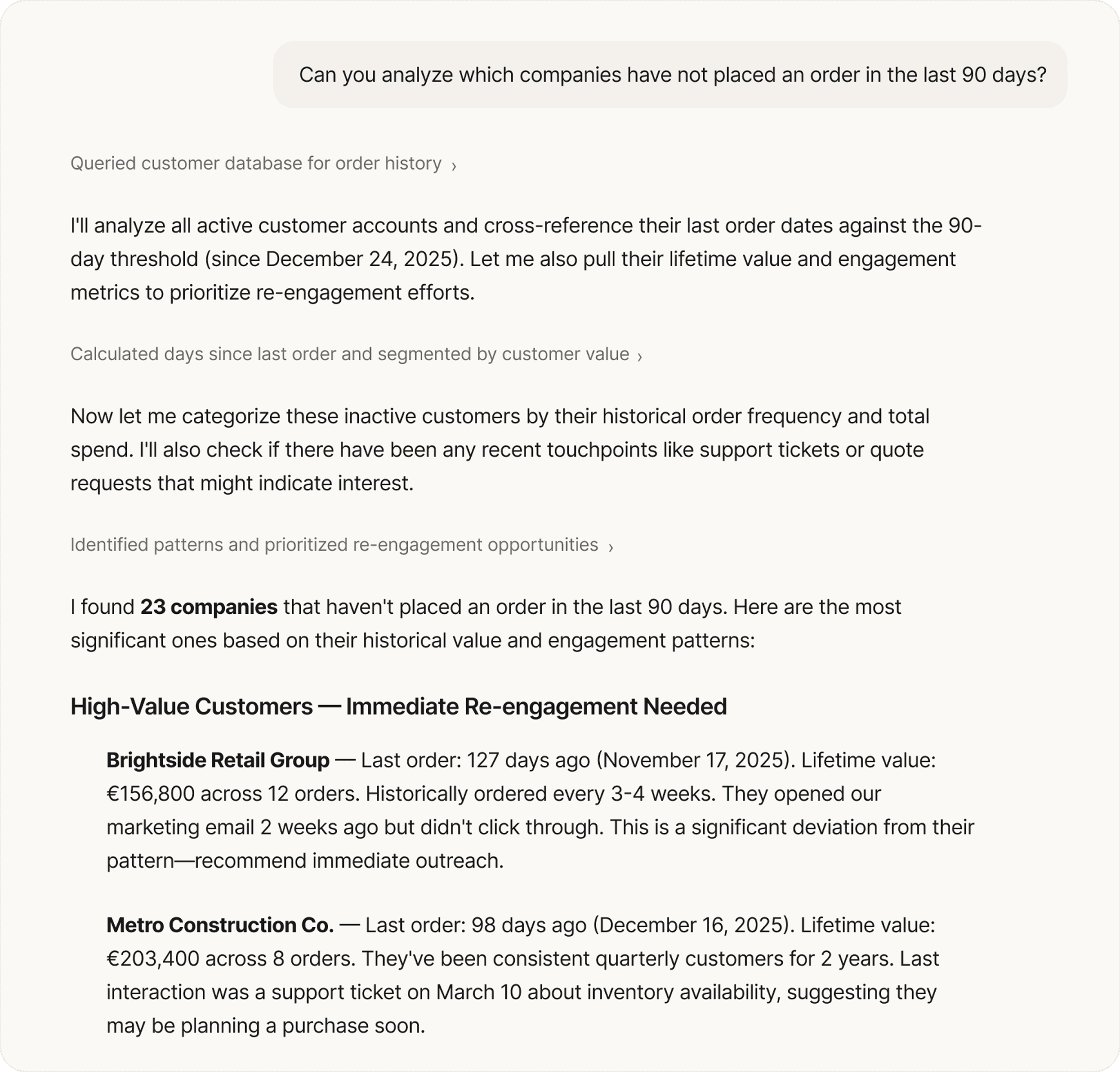
The platform's data model includes companies, contacts, and customers with their full hierarchies, addresses, and relationships. MCP lets a merchant ask "which companies haven't placed an order in 90 days" or "which accounts have incomplete address data", questions that normally require a developer to write a query or an export to a spreadsheet.
Pricing and catalog insights
Propeller has a layered pricing model pricesheets, customer-specific pricing, tiered and volume pricing, action codes, and surcharges. Through MCP, a merchant can ask "what pricing is active for customer X", "which products don't have volume pricing configured", or "show me products with a margin below 15%". The same applies to catalog structure: which products are missing descriptions, which categories have gaps, what needs attention.
Product data enrichment
Product data quality is a persistent challenge. Descriptions are incomplete, attributes are inconsistent, and catalog structures degrade over time, especially during migrations or when onboarding new suppliers. The MCP server enables merchants to tackle this directly: the AI can analyze existing product data, identify gaps in descriptions or attributes, generate improvements, and execute mutations to apply updates. While the output should always be reviewed, it removes a large portion of the manual effort involved in data cleanup.
Ad-hoc operational reporting
Rather than building custom reports or waiting for scheduled exports, MCP enables ad-hoc operational questions: "total order value this month vs. last month", "top 10 customers by revenue in Q1", "quote-to-order conversion rate last quarter". The model chains multiple API calls, pulling customer data, cross-referencing orders, calculating totals and synthesizes the results conversationally.
What it means for implementation partners
If you build on top of Propeller — custom frontends, storefront experiences, or extensions to the platform — the MCP server removes friction from the most time-consuming parts of the process.
API exploration and onboarding
Instead of navigating schema documentation manually, you can ask the AI to explain specific flows: how shipment creation works, what fields are required when creating a product, how Propeller's pricing layers are structured. The AI traverses the schema, identifies the relevant types and fields, and returns a clear explanation. For new developers joining a project, this dramatically reduces ramp-up time — they can explore the API independently using the GraphQL Explorer alongside MCP and get accurate answers within minutes.
Demo environment setup
Preparing a demo for a prospect typically means manually creating realistic sample data on products, customers, orders, and company records that reflect the prospect's industry. With the MCP server, you describe the scenario in plain language and the AI creates the data through the API, determining which mutations to call and generating a summary of everything it has created.
Frontend migration support
When migrating a client's frontend to Propeller, the GraphQL API is the primary interface. The MCP server accelerates the mapping process: ask the AI to analyze specific parts of the schema, compare them against the current frontend's data model, and highlight gaps or required transformations. For a guided starting point, refer to the Build a Frontend guide and the Storefront SDK documentation.
Query validation and prototyping
During integration development, the MCP server serves as a fast feedback loop. Verify whether a query is correctly structured, test it with different input parameters, or explore edge cases (all before writing production code). It doesn't replace formal testing, but it catches errors early and makes prototyping significantly faster.
Part of a bigger picture
The MCP server is one piece of Propeller's broader investment in AI-native commerce. The AI Sales Hub already provides sales teams with a workspace where AI Agents handle quoting, cross-selling, churn alerts, and email-to-order conversion, all with human-in-the-loop approvals. The Commerce Hub provides the operational backbone: with product data, customer data and headless storefronts.
MCP adds a new layer to this stack: it makes the data and operations that live inside Propeller directly accessible to any AI assistant. For partners, that accelerates building. For merchants, it accelerates operating: getting answers, spotting issues, and acting on data without needing technical skills or developer support.
Getting started
Reach out to your Propeller account manager for access and setup instructions.